Partiful: Party Invite Maker
- 4.9
- Rating
- 500.00K
- Installs
- Free
- Price

 Analysis by App-foxy
I came away from Partiful: Fun Party Invites with the impression that it is built for one specific social problem: getting a real group of people from “we should do something” to an actual event with a clear plan. It is a free lifestyle app from Partiful, and its focus is much narrower than a general calendar or a full event-management platform. That narrow focus is also its appeal. I would reach for it when the event matters socially but does not deserve a long chain of messages, spreadsheets, and reminders.
The app is listed for Everyone, runs on Android 7.0 or later, and currently appears as version 3.2.27. Its average rating is 4.8 from roughly sixteen thousand ratings, with more than seven hundred written reviews, while the install count has passed one hundred thousand. Those figures suggest that it has found a clear audience, but they do not tell the whole story. The important question is whether your friends will actually use an invitation app instead of staying inside the messaging service they already know.
How Partiful feels when you are trying to get an event moving
The first useful distinction is between planning an event and merely announcing one. A group chat is excellent for spontaneous conversation, but it is poor at preserving the final details. A calendar is good at dates and times, yet often feels too formal for a birthday gathering, a casual dinner, or a last-minute night out. Partiful sits between those two habits. It gives the event its own place without asking you to turn a relaxed plan into an administrative project.
You May Also Like

 Blood Strike: 2.5 Anniversary
Blood Strike’s Loadouts Turn Every Drop Into a Tactical Gamble
A close look at Blood Strike’s custom loadouts: how fast access to signature weapons reshapes its battle royale rhythm, rewards preparation, and narrows the gap between fights.

 Pandora - Music & Podcasts
Pandora’s Music Is Easy to Start, but Harder to Recover
Pandora’s strength is its low-effort path from a seed to a station. Its weak spot is how much confidence it asks you to place in connection, setup, and quiet recovery.

 8 Ball Pool
 Is Built on Rivalries, Rematches, and Routine
A close look at the rivalries, rematches, shared routines, and unanswered safety questions that turn a quick pool match into a persistent mobile community.

 Samsung Music
’s Quiet Strength Is Playing What You Already Own
Its reach comes less from spectacle than from dependable access to a personal library. That simplicity is both the app’s strongest retention engine and its ceiling.

 AccuWeather: Weather Radar
AccuWeather Review: A Quick, Clear Forecast for Everyday Decisions
For everyday plans, the best forecast is the one you can understand quickly. AccuWeather makes rain timing, radar, and local conditions easy to act on, with a few trade-offs.

 Hill Climb Racing
Why Hill Climb Racing Still Turns Crashes Into One More Run
A tiny car, a bumpy hill and one more upgrade: Hill Climb Racing keeps resurfacing because its simple chaos makes every near-miss feel personal.
More From Our News Desk
View All News


In my experience, the perceived speed comes less from flashy interface behavior and more from reducing decisions. Instead of explaining the location, time, guest expectations, and updates repeatedly in a conversation, I can put those details in one invitation and send people to the same source. That makes the whole process feel faster, especially once the event has more than a handful of guests.
That does not mean every part of planning becomes instant. The app cannot decide whether people are free, whether a venue works for everyone, or whether a vague “come by later” needs a firm starting time. Its speed depends on how prepared the host is. If I already know the basic plan, creating a focused invitation feels efficient. If the event is still only an idea, a group chat may remain the quicker place to brainstorm.
A useful habit is to write the invitation as if a guest will read it while walking between errands. Put the practical answer near the top: what is happening, when it starts, where it is, and what kind of gathering to expect. The app is most effective when it becomes the single readable version of the plan, rather than another place where unfinished thoughts accumulate.
Where it helps more than a normal group chat
Consider a realistic Friday scenario. I want to invite several friends to a small birthday gathering, but some are in different conversations and not everyone checks the same group thread. In a chat, I might ask for availability, lose the answers among jokes, confirm a time, then repeat the address when somebody joins late. With Partiful, the invitation gives the plan a stable home. Guests can check the same event instead of searching through a conversation that has already moved on.
That matters even more when the guest list changes. A new person should not need a complete history of the planning conversation to understand what is happening. The host can point them to the event itself. This is one of the app’s less obvious strengths: it separates the social energy of chatting from the practical job of keeping the plan legible.
I also see value for hosts who dislike making formal-looking invitations. Traditional event tools can feel excessive for a casual gathering, while a plain text message can look forgettable and become difficult to manage. Partiful is better suited to the middle ground: something intentional enough to organize people, but informal enough for everyday social plans.
What happens when the guest list becomes busy
The heavier moments are not necessarily technical stress tests. They are social moments when many people need the same information at once: an invitation goes out, the time changes, the location needs clarification, or guests begin asking what to bring. A dedicated event space is useful here because the host is not forced to answer identical questions separately in several chats.
Still, I would not treat it as a replacement for every communication channel. Some guests may not want another app, may overlook the invitation, or may continue replying privately. For an important event, I would still send a short personal message to anyone whose attendance is essential. The invitation can be the central reference point, but it cannot guarantee that every guest will open it promptly.
There is also a trade-off between flexibility and clarity. Casual plans often change, but too many revisions can make any event confusing. My practical approach would be to keep the invitation updated while sending a concise note when the change affects arrival time, venue, or what guests need to bring. That avoids relying on people to notice a quiet alteration inside the event.
For larger or more structured gatherings, I would be more cautious. If you need detailed task assignments, formal registration, ticketing, seating, invoices, or a long operational checklist, a specialized event platform or shared document may be a better fit. Partiful’s strength is social coordination, not turning a gathering into a conference operation.
Reliability is also about recovering from confusion
When I judge an app like this, reliability is not only whether it opens. It is whether the plan remains understandable after a guest arrives late, a detail changes, or somebody misses the original message. Partiful’s event-centered approach is promising for that kind of recovery because the important information has somewhere consistent to live.
The best recovery workflow is simple: update the event with the corrected detail, then communicate the change directly if it is urgent. That two-step habit is more dependable than editing a message in a fast-moving chat and assuming everybody saw it. It also gives late joiners a better chance of finding the current plan rather than an outdated answer from earlier in the conversation.
I would avoid using any invitation app as the only record for information that has serious consequences. If an event involves travel, expensive reservations, accessibility arrangements, or a strict deadline, I would keep a second personal reminder or calendar entry. That is not a criticism unique to this app; it is sensible protection against missed notifications, forgotten plans, or guests who never complete the invitation flow.
Another practical point is host discipline. A reliable event page can still become unreliable if the host leaves old details visible, changes plans without telling people, or assumes that a guest’s silence means agreement. Partiful can organize information, but the host still has to make decisions explicit. I found that its value grows when I use it as a living plan rather than a one-time broadcast.
Device expectations and everyday resource use
Because the app supports Android 7.0 and later, it is available to people using older Android software as well as newer phones. That broad compatibility is helpful for mixed friend groups, although compatibility alone does not guarantee the same experience on every device. Older phones can feel different from current models when switching between apps, loading media-heavy screens, or handling a long event conversation.
I would expect ordinary planning tasks to be less demanding than games, video editors, or navigation apps. Creating an invitation, checking details, and responding to an event should generally fit the kind of short sessions people make in a lifestyle app. The moments most likely to feel heavier are the ones involving a busy event, repeated updates, or several guests interacting around the same plan.
For a smoother experience, I would keep the phone’s operating system reasonably current when possible, close unusually demanding apps before planning a major event, and avoid waiting until the last minute to send essential details. Those are sensible precautions rather than promises about a particular device. If your phone already struggles with ordinary social apps, Partiful may not feel equally immediate, especially when the event becomes active.
The free price makes trying it low-risk, but the real resource it asks for is attention from your guests. A host can create the most polished invitation possible and still get poor results if everyone prefers an existing messaging app. Before building an important plan around it, I would test the workflow with the people who actually need to attend. Social tools succeed through participation, not only through their own interface.
Three smarter ways I would use it
- Use the event as the source of truth. Put the final practical details there, and avoid scattering important corrections across multiple private conversations.
- Separate planning from urgent changes. Let the invitation hold the durable information, but contact essential guests directly when a change could affect whether they arrive.
- Design for late readers. Write the event so somebody opening it after the original invitation can understand the plan without needing the backstory.
A fourth use is to create an invitation before every detail is perfect, then refine it as the plan becomes real. That can work for informal events, but I would be careful not to publish a confusing draft. A clear “time to be confirmed” is more honest than leaving several possible times visible. The app helps organize uncertainty, but it does not remove the need to label it.
Who should choose it, and who should skip it
I would recommend Partiful to people who regularly organize birthdays, dinners, casual celebrations, meetups, or group outings and are tired of repeating the same information. It is especially appealing if your plans are social rather than commercial and if you want something more organized than a chat without the formality of a professional registration system.
It is also a good option for a host who wants guests to see a shared plan instead of receiving a private collection of answers. That can reduce misunderstandings around timing and location, particularly when the group is large enough for messages to disappear quickly.
I would skip it when the event is extremely small and spontaneous. If two friends are deciding between two cafés right now, opening a separate invitation may add friction rather than remove it. I would also look elsewhere for paid events, detailed attendee management, formal check-in, complex permissions, or workflows that need to connect closely with workplace calendars and administrative tools.
The guest experience matters just as much as the host experience. If your friends strongly resist installing new apps or already coordinate reliably through one shared service, Partiful may not improve participation. In that case, a familiar group chat plus a calendar entry could be the more practical combination. The best tool is the one your group will actually check.
My performance verdict after weighing the trade-offs
Partiful feels focused, approachable, and well matched to the messy middle of social planning. Its perceived speed comes from giving a gathering a clear center, not from trying to replace every tool people use to communicate. When the guest list is active, that structure can save time and make recovery from changes easier. When the plan is tiny, urgent, or highly formal, the same structure can feel unnecessary.
I also like that the app does not need to be judged as a universal event platform. Its value is more specific: it gives everyday social events a readable identity and helps a host keep the practical details from being buried. That is a meaningful improvement over a long chat, provided guests are willing to follow the invitation.
My final recommendation is to use it for gatherings where clarity matters but bureaucracy would be overkill. Start with one event, make the essential details easy to scan, and keep a backup reminder for anything important. The free download and Everyone rating make it approachable for a broad audience, while the current version shows that the app is actively maintained as a modern lifestyle choice.
For me, the deciding question is not whether Partiful can handle every kind of event. It cannot be the best answer for every situation. The better question is whether your group needs a shared, friendly place for a social plan to take shape. If the answer is yes, Partiful: Fun Party Invites is worth trying, and its strongest benefit is simple: it turns scattered intentions into one plan people can return to.
FAQs for Partiful: Party Invite Maker
01What is Partiful and how does it work?
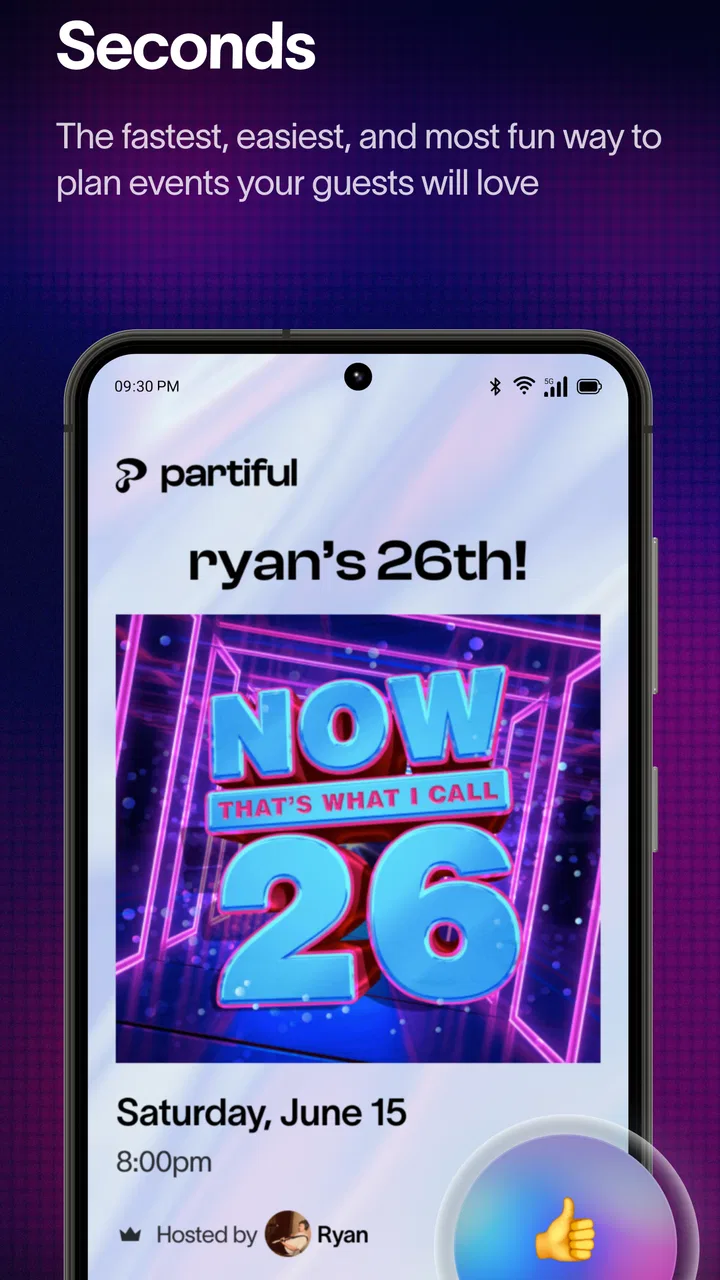
Partiful is an app designed to simplify the process of creating and managing party invitations. It allows users to design customized digital invites, track RSVPs, and send reminders. The app provides various templates and personalization options to suit different themes and occasions, ensuring your event planning is both efficient and stylish.
02Is Partiful free to use?
Partiful offers a basic version that is free to use, which includes essential features for creating and managing invitations. However, there may be premium features or templates available for purchase. Users should check for any in-app purchases or subscription options to access additional functionalities or exclusive designs.
03Can I customize my invitations in Partiful?
Yes, Partiful offers a range of customization options. Users can choose from various themes, colors, and fonts to design their invitations. The app allows you to add personal touches, such as photos or event-specific details, making it easy to create unique and personalized invites that reflect your event's theme and mood.
04How does Partiful handle RSVPs and guest management?
Partiful provides an intuitive RSVP tracking system. Once invitations are sent, guests can easily respond through the app, allowing hosts to monitor attendance in real-time. The app also supports sending reminders and updates, ensuring that guests are informed and engaged throughout the planning process.
05Is Partiful available on both Android and iOS?
Yes, Partiful is available for download on both Android and iOS platforms. This cross-platform availability ensures that users can access and manage their invitations from a variety of devices, providing flexibility and convenience for both hosts and guests.
Pros
- User-friendly interface enhances experience.
- Customization options for unique invites.
- Seamless integration with social media.
- RSVP tracking simplifies guest management.
- Free to use with no hidden fees.
Cons
- Limited themes in free version.
- Occasional app crashes reported.
- No offline functionality available.
- Requires internet for full features.
- Ads can be somewhat intrusive.

Partiful: Party Invite Maker
Gallery